
How to Set Your Selling Price Step by Step From Cost
August 13, 2026
To set your selling price starting from cost, you don’t just add a “profit” percentage on top of the product cost and hit publish. The right path runs the other way around: first you calculate your minimum profitable price (in Spanish, precio mínimo rentable) —the number below which every sale loses you money— and only then do you decide how much you want to charge above that floor. The minimum profitable price is the sum of your total product cost, plus the marketplace commission, plus the logistics fees, plus the applicable tax, plus a buffer for returns and advertising. Any price below that sum isn’t “cheap”: it’s a sale you’re funding out of your own pocket.
The trouble is that this calculation, which in theory fits on a napkin, becomes a puzzle in the real life of a multichannel seller. Your cost lives in an Excel sheet, the Amazon commission in Seller Central, the FBA fee on another screen, the MercadoLibre commission in its own dashboard, and the tax in your accountant’s head. Pulling all of that together by hand, channel by channel, SKU by SKU, is slow, goes stale the moment a rate changes, and is exactly where the errors creep in that make you sell below the floor without noticing.
In this guide we build the selling price step by step, from cost upward, so that by the end you have two clear numbers per product: your minimum profitable price (the floor you never cross) and your target price (the one you actually charge). We’ll do it thinking about a seller who sells the same product on Amazon Mexico, MercadoLibre, and maybe their own Shopify, because that’s where the same cost can produce three different floors.
step 1: build your true total cost, not just the purchase price
The first mistake, and the most expensive one, is confusing the price you bought the product at with your total cost. The purchase price is only part of it. Your true total cost includes everything you spend to get that unit ready to sell: the supplier price, the import or transfer freight, tariffs if they apply, any rework or repackaging, labels, and the proportional share of storage while that unit waits to sell.
Take a concrete product. You bought a unit at $180. Freight prorated per unit is $22, packaging and label $8, and average storage until the sale adds $6. Your true total cost isn’t $180: it’s $216. Those extra $36 are invisible if you only look at the supplier invoice, but they’re real and they come out of your pocket on every unit. Setting a price on $180 instead of $216 means you start the calculation already in a hole.
This total cost is the brick everything else is built on. If the brick is mismeasured, every number that follows —margin, minimum price, target price— inherits the error. So it’s worth doing right once and keeping it updated, especially when the supplier raises prices or freight moves with the exchange rate.
step 2: identify each channel’s commissions and fees
This is where the price splits by marketplace. The same product with the same $216 total cost does not have the same floor on Amazon as on MercadoLibre, because each channel takes a different percentage and charges different fees.
On Amazon you pay the referral fee (a percentage of the sale price that varies by category, typically between 8% and 15%) plus, if you use FBA, the fulfillment fee that depends on size and weight. On MercadoLibre you pay the sale commission based on your listing type (classic or premium) plus a fixed per-unit charge on low-price items, plus the shipping cost if you’re in Mercado Envíos Full. On your Shopify the marketplace commission disappears, but the payment gateway cost and the shipping you absorb show up instead.
The key is that these percentages are calculated on the sale price, not on the cost. That creates a circularity that confuses many people: to know the commission you need the price, but to set the price you need the commission. We resolve it in step 4 with a formula that solves for the price. For now, what matters is having noted, per channel, the commission percentage and the fixed fees that apply to this SKU.
Glossary: what real net margin is and why it’s the only thing you should watch when setting a price →step 3: don’t forget tax, returns, and advertising
Three charges almost nobody puts in the initial calculation, and together they can wipe out all your apparent margin.
Tax (IVA in Mexico) is 16%, and it’s a pass-through tax, not profit. If your published price includes IVA, that 16% isn’t yours: you collect it to remit to the SAT. Setting a price while ignoring tax is one of the most common ways to believe you’re profitable when you aren’t, because you’re counting as margin money you’re only passing through. You have to reason about your minimum price on the pre-tax base and add the tax on top.
Returns are a statistical cost: if 4% of your units come back and on many of them you lose the product or the return shipping, that percentage makes every unit that does sell more expensive. A product with a 4% return rate needs its 96 good sales to pay for the 4 bad ones. Ignoring it works until returns spike one month and you wonder where the profit went.
Advertising —Amazon Ads, MercadoLibre Product Ads— is part of the cost of selling in a saturated marketplace. If on average you spend 10% of the price on ads to move that SKU, that 10% is as real as the commission. A price that reserves no room for advertising leaves you choosing between not advertising (and not selling) or advertising (and not earning).
step 4: the formula to solve for the minimum profitable price
Now we put it all together. Since commissions and tax are percentages of the sale price, you can’t just add them to the cost; you have to solve for the price. The logic is this: your fixed total cost (the pesos that don’t depend on the price) has to be covered by what’s left of the price after subtracting all the percentages.
An example makes it clear. True total cost: $216. Fixed logistics fees: $45. Sum of percentages on the sale price: 13% commission + 10% planned advertising + 4% returns reserve = 27%. The minimum profitable price (before tax, and with no profit yet) is obtained by dividing your fixed costs by what’s left after the percentages:
Minimum price (pre-tax) = ($216 + $45) ÷ (1 − 0.27) = $261 ÷ 0.73 = $357.53
Add 16% tax to that floor and you have the final minimum profitable price: $357.53 × 1.16 = $414.74. Below $414.74 on this channel, with these assumptions, every sale loses money. That’s your floor. Notice that the moment you switch channels —a different commission, a different fee— the floor moves, which is why the same product needs one calculation per marketplace, not a single one. This is exactly the kind of repetitive work where real-time inventory and a single panel save you hours: instead of redoing the formula by hand on every sheet, the system recalculates the floor whenever a fee changes.
step 5: from the floor to the target price with a healthy margin
The minimum profitable price is not your selling price: it’s the line you don’t cross. Above that floor you decide your target margin, and there the considerations stop being about cost and start being about the market. How much does the competition charge? What value perception does your product have? How much margin do you need for the business, after fixed costs like your time and your tools, to be worth it?
A practical rule: set your target price aiming for a comfortable real net margin —say 20% to 30% of the price— and always verify that this target sits comfortably above the floor. If the price the market allows barely grazes your floor, that product isn’t a good business on that channel, and it’s better to know before you invest in inventory than after. Sometimes the right answer isn’t to lower the price to compete, but to not fight on a channel whose floor leaves you no air; we develop this in pricing strategy against a price war without hitting bottom.
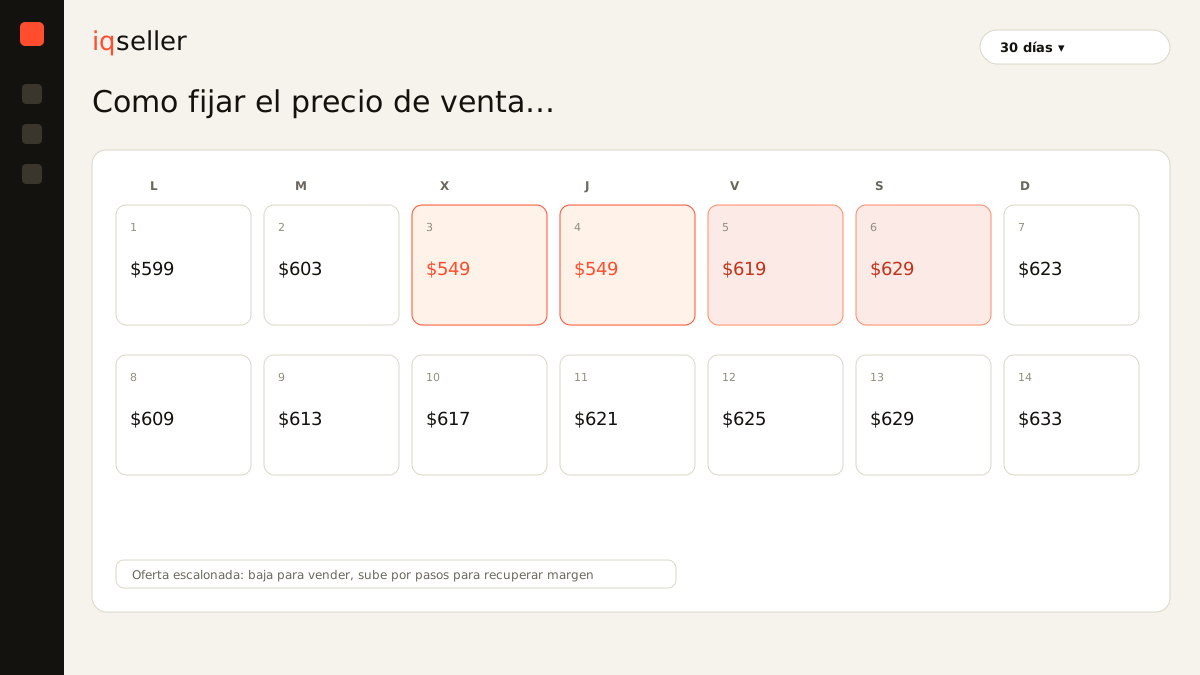
It helps to think in price tiers, not a single number. You can have a list price, a promo price, and a floor price, and move between them depending on the season or competitive pressure, always knowing the floor one already has all the math above baked in.
Glossary: what a tiered offer is and how to use it without breaking your minimum profitable price →step 6: keep the price alive, not frozen in a sheet
The final mistake is treating the price as something you set once and forget. None of the inputs are fixed: the supplier raises prices, freight moves with the dollar, Amazon adjusts its commission, your advertising ACOS shifts, the tax on an input changes. Each of those movements shifts your minimum profitable price, and if your published price stayed the same, one day you’re selling below the floor without having noticed.
This is the real pain of the multichannel seller: not that the formula is hard, but that it has to be recalculated constantly, per SKU and per channel, every time a variable changes. Doing it in Excel means that in practice it doesn’t get done: the sheet ages, the fees go stale, and you trust numbers from three months ago. When cost, each marketplace’s commissions, advertising, and inventory live in a single source that updates itself, the minimum profitable price stops being a calculation you redo and becomes a number that’s always current. Your job stops being to recalculate and becomes deciding how much margin you want above a floor you can trust.
Setting the price from cost, done right, isn’t a one-afternoon trick. It’s a six-step method —true total cost, commissions, tax and hidden charges, the floor formula, the target margin, and maintenance— that gives you the control the multichannel usually takes away. With those numbers clear you stop guessing and stop giving away margin: you know exactly what your floor is and how much you earn above it, on every channel, all the time.
Glossary: what a price calendar is and why it helps you avoid selling old stock below the floor →