
What Is Critical Stock and How to Set the Threshold for Each SKU
July 14, 2026
Critical stock is the inventory level at which a SKU stops being “you’ve got plenty” and becomes “reorder now.” Put another way: it’s the number of units below which your system should fire an alert, because if you keep selling at your normal pace you’ll run out before your next replenishment arrives. It isn’t zero. It isn’t the moment you’ve already run out. It’s the point just before that, the one that leaves you enough room to react in time.
The most common mistake is thinking critical stock is a single fixed number for your whole catalog — “alert me whenever any SKU drops below 10 units.” That almost never works, because a product that sells 40 units a day and one that sells 1 unit every three days cannot share the same threshold. Ten units is an emergency for the first and a full month of inventory for the second. The right critical stock is defined per SKU, and it depends on two concrete things: how much you sell per day and how long your replenishment takes to arrive (your lead time).
The base formula is simple: critical stock = average daily sales × lead time in days + safety stock. If you sell 5 units a day and your supplier takes 14 days to restock you, you need at least 70 units covered just to avoid a stockout during the wait, plus a cushion in case sales rise or the shipment is delayed. That result is your critical stock threshold: when available inventory crosses below that number, it’s time to buy. In this article you’ll see how to calculate it well for each SKU, why selling on multiple channels complicates it, and how real-time data keeps that calculation current on its own.
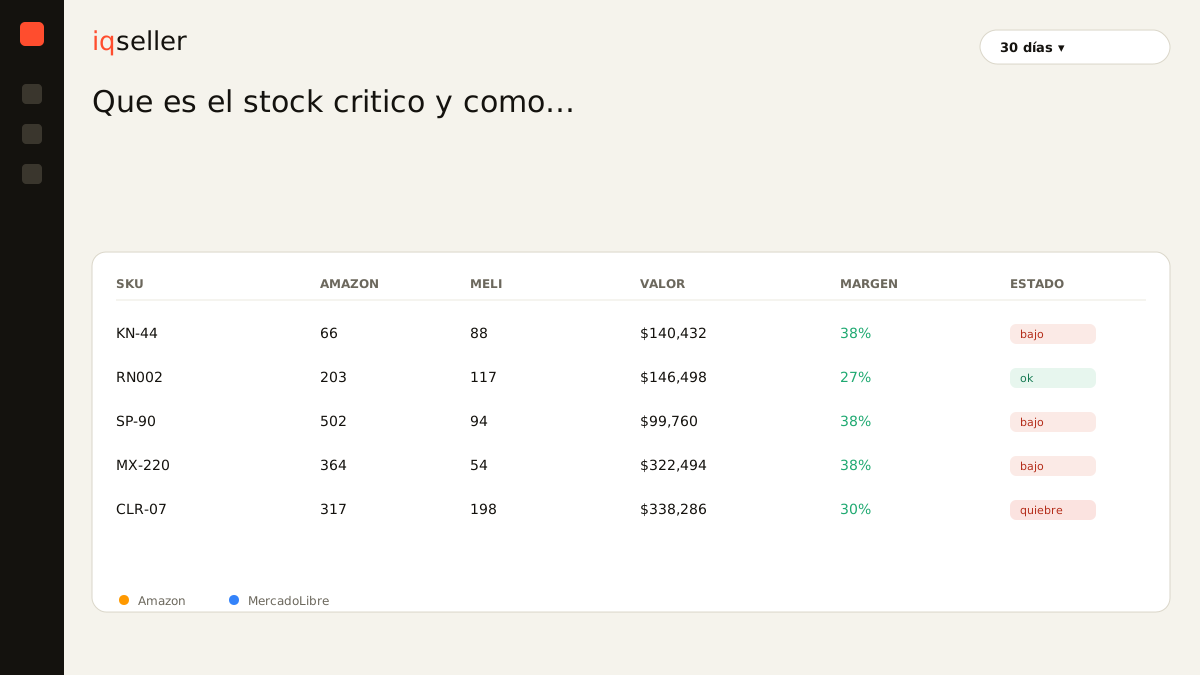
why one fixed threshold for the whole catalog fails you
When you start out, it’s tempting to set a single number: “alert me when anything drops below 15.” It’s easy to configure and it feels tidy. The problem is that your catalog isn’t homogeneous. You have star SKUs that turn over fast and long-tail SKUs that move slowly, and a single threshold treats them the same when they live in different worlds.
For the product selling 30 units a day, 15 units is half a day of life: by the time the alert fires it’s already too late, you can’t even place the order. For the product selling 2 units a week, 15 units is nearly two months of inventory: the alert warns you so far ahead that you ignore it, and when it actually matters you’ll ignore it too. A threshold that screams when it shouldn’t and stays silent when it should is worse than no threshold at all, because it teaches you to distrust your own alerts.
The real consequence is twofold. On one side, stockouts on your fast movers — exactly the ones that bring in the most revenue — because the warning arrived with no time to react. On the other, dead capital tied up in your slow movers, because you over-order “just in case” when you don’t trust the system. A fixed threshold doesn’t save you decisions; it hides them until they become expensive.
Glossary: what days of inventory are and why they’re the right unit for thinking about critical stock →the three numbers that define each SKU’s threshold
To calculate an honest critical stock you only need three inputs, but all three have to be real, not eyeballed.
The first is average daily sales. Not your best month or your worst: a real average over the last few weeks, ideally weighted toward the recent past so it captures the trend. A SKU that was running at 3 a day and is now at 8 has a completely different critical stock, and if you keep using the old average you’ll stock out even though “you had inventory.” This number changes constantly, and that’s the manual-spreadsheet trap: the figure you copied on Monday is already wrong by Thursday.
The second is lead time: the days between placing a replenishment order and the product being available to sell again. It includes production, transit, customs if you import, and the check-in time at your warehouse or in FBA. Many sellers underestimate this because they only count shipping and forget that a product received at Amazon’s warehouse can take days to show up as sellable.
The third is safety stock: the cushion that protects you from variability. Neither sales nor lead time is constant — there are demand spikes and there are suppliers who run late. Safety stock absorbs those surprises. A practical rule is to cover a few extra days of sales, more aggressive on high-margin or hard-to-replace SKUs, lighter on the ones you restock fast and cheap.
Combine the three and the threshold appears on its own: (daily sales × lead time) + safety stock. That’s the number that separates “all good” from “order now.”
selling on multiple channels breaks the math (and that’s why it hurts)
Everything above sounds clean until you remember you don’t sell in just one place. The same SKU moves on Amazon, on MercadoLibre, maybe on your Shopify, and the inventory can be split across FBA, your own warehouse, and a 3PL. That product’s “real” daily sales is the sum of what it sells across every channel at once, not what one dashboard shows.
That’s where the multichannel seller loses their mind. You open Seller Central and see you sold 4; you open MercadoLibre and see you sold 3; the 3PL reports physical stock on yet another board. To know your total daily sales and your total available stock you have to pull it all together by hand, in a spreadsheet, adding up columns from three or four sources that also refresh at different times. By the time you’re done, you’ve already sold more and the calculation was born stale.
The result is that critical stock, which should be a trivial sum, turns into an exercise in data archaeology that nobody does every day. And because you don’t do it every day, you decide with last week’s numbers. A SKU that sped up across three channels at once catches you in a stockout even though “there was still stock on Amazon.” The problem isn’t your math; it’s that you’re calculating on a stale, partial snapshot.
Glossary: what real available stock is and why it’s the basis for multichannel critical stock →why real-time data is what holds the threshold up
A well-calculated threshold that nobody recalculates becomes useless within weeks, because daily sales and lead time drift. The only way for critical stock to stay true is for it to recalculate itself, with data from every channel, in real time. That’s exactly what a single source of truth solves instead of four tabs and a spreadsheet.
When inventory from Amazon, MercadoLibre, Shopify, and your 3PL lives in one place and syncs on the spot, the system knows your consolidated daily sales and your total available without you adding anything up. With that, it can keep each SKU’s threshold alive: if a product accelerates, its critical stock rises automatically; if it slows down, it drops. The alert stops firing on a fixed number and starts firing on what’s actually happening with that SKU today.
This ties directly to understanding what available market stock is: not all of your inventory is truly for sale on each channel, and your critical stock has to be calculated on what can actually sell, not on the total physical count. A calculation on the wrong number gives you the wrong threshold, no matter how good the formula is.
how to fine-tune the threshold without going crazy
You don’t need to nail the perfect number on day one. Critical stock is a threshold you refine with practice, and there are clear signals telling you which way to move it.
If a SKU fires its alert and you always restock with plenty of units still on hand, your threshold is too high: you have it warning too early and you’re tying up capital. Lower it a bit. If instead the alert fires and by the time the replenishment lands you’ve already stocked out or are scraping the bottom, the threshold is too low or your real lead time is longer than you assumed: raise it. Your own stockouts and overstocks are your best data for calibration.
Segment by turnover and by margin. Give your star SKUs a more generous safety stock: running out of your top revenue product costs far more than carrying a few extra units. Tighten the slow, low-margin SKUs: there, tied-up capital hurts more than an occasional stockout. And revisit the threshold when something structural changes — a new supplier with a different lead time, a peak season, a channel that took off — not every morning.
The key is that fine-tuning shouldn’t mean returning to the manual spreadsheet every week. If the foundation is real-time, you adjust the logic once — the rules by segment — and the system keeps the numbers current. Your job shifts from recalculating to deciding the policy; the calculation holds itself up.
Glossary: what a stockout is and what it costs beyond the lost sale →what changes when critical stock stops being a dead number
The real shift isn’t having one more alert. It’s no longer discovering stockouts after they’ve already happened. As long as critical stock lives in a sheet you update now and then, you’re always a step behind: you restock late on your fast movers, over-restock on your slow ones, and every so often a SKU falls over right when it was selling best. The permanent feeling is of putting out fires.
When the threshold is calculated per SKU, with real daily sales and lead time, and kept alive with data from all your channels at once, that feeling flips. You stop watching inventory by hand and start receiving warnings with just enough time to act: not so early they’re noise, not so late you can no longer buy. Critical stock stops being a number you copied once and becomes what it always should have been — a smart line that moves with you.
For anyone selling on Amazon, MercadoLibre, Shopify, and a 3PL at the same time, this is one of the things that brings back the most peace of mind. Not because you work more, but because a task you used to do late and with stale data is now handled by a system that sees everything together and never tires. And with inventory under control, decisions that depend on it — like how much you can spend on advertising without running out of product, something you read in your ACoS — also stop being made blind.