
Critical Stock Alerts: How to Set Them Up So You Never React Late
July 16, 2026
Setting up a stock crítico alert that actually warns you in time comes down to three decisions: define the threshold per channel in days of coverage rather than in loose units, calculate it on the real available stock of each marketplace, and route the alert to a channel you genuinely check before the product runs out. Get those three right and you stop discovering a stockout after you have already lost the Buy Box, and start seeing it coming with days of room to react.
The catch is that almost nobody gets them right. The default move is a “notify me when 10 units are left” rule, the same for every product and every channel. That fixed threshold works by luck on one SKU and fails on all the others: for a product that sells 8 a day on Amazon, 10 units is barely a day of air; for one that sells 1 every three days on MercadoLibre, those same 10 units are a quiet month. An alert that cannot tell those two cases apart will shout when it does not matter and stay silent exactly when it did.
The other failure is quieter. Many alerts read the big number on the report, the physical stock in the warehouse, instead of the real available stock that can truly go up for sale today. Once you subtract reservations for in-process orders, units in inspection, returns waiting to be restocked, and inventory blocked by a listing issue, that honest number is usually a good deal lower. If your alert is computed on the inflated figure, it warns you late by definition, no matter how conservative the threshold looks.
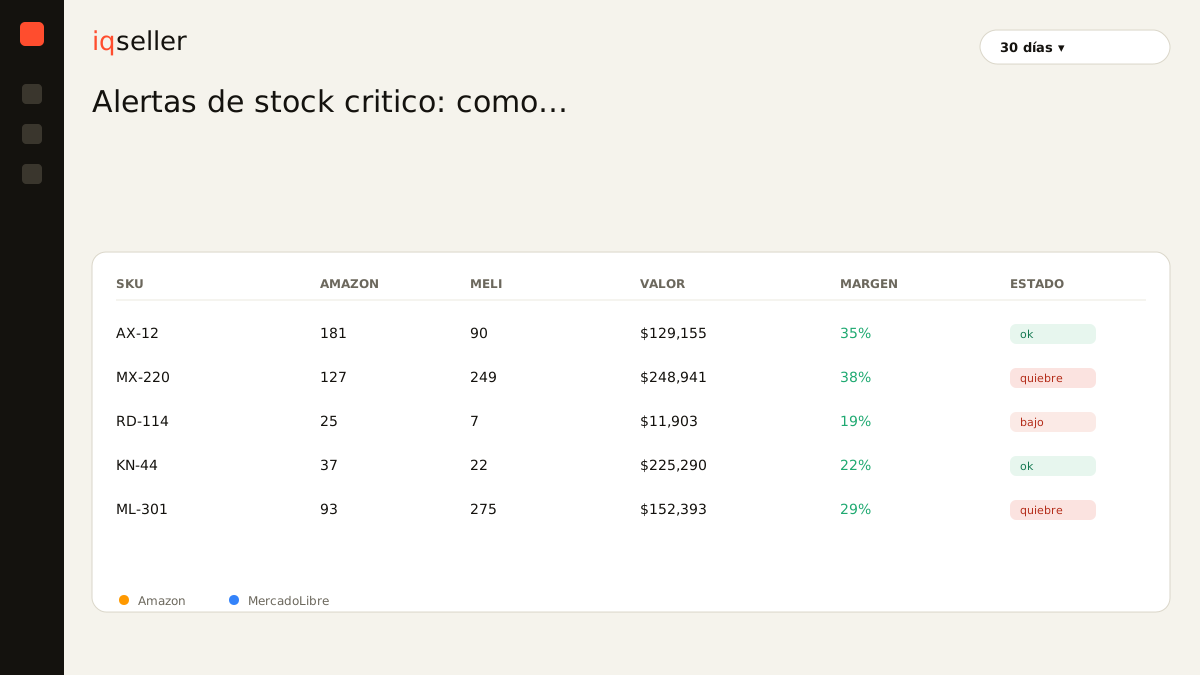
what critical stock actually means
Critical stock is not “low inventory.” It is the point where the days of stock you have left are equal to or fewer than the time it takes to replenish that channel. Put differently: it is the last moment when you can still place an order and have the product arrive before you run out. Cross that point and, whatever you do, you are going to have hours or days with nothing for sale.
That is why the critical threshold is never a universal number. It depends on two variables that change per SKU and per channel: recent sell-through speed and replenishment lead time. A high-rotation product with a local supplier and three-day delivery tolerates a threshold of five or six days of coverage. An imported product with ninety days of transit between order and warehouse arrival needs the alert to fire while it still has a hundred days left, because if you wait for it to drop below that, you no longer make it.
Glossary: a stockout is when you run out of sellable units in a channel; a critical stock alert exists precisely so that stockout never catches you by surprise.why the threshold is measured in days, not units
The most expensive trap is setting the alert in units. “Notify me when 10 are left” feels concrete, but it is a blind rule: it does not know how fast those 10 sell or how long you take to replace them. The same unit threshold overprotects a slow product and leaves a fast one exposed, and because you are not reviewing it SKU by SKU, you never learn which is which.
The useful alert is defined in days of coverage, which is the real available stock divided by your daily sell-through. That way the threshold adapts on its own: if a product accelerates in season, its “10 days of coverage” translates into more units and the alert fires earlier in absolute terms, exactly when it should. If it slows down, the opposite happens. You set the reaction time you need and the system does the math with each day’s fresh data.
Glossary: days of inventory measure how long your stock will last at the current sales pace; they are the right unit for setting an alert threshold, because they translate “units” into “time to react.”one alert per channel, not one for everything
If you sell on Amazon, MercadoLibre, and move part of your stock from a 3PL, your inventory is not a single tank: it is compartments that do not share instantly. Units in FBA only serve Amazon demand; Full units only cover MercadoLibre; the 3PL stock can feed self-fulfilled shipments or Flex, but it does not solve an FBA stockout without an internal replenishment that takes days. An alert that adds everything up and warns on the total will lie to you with the same friendly face as the coverage average.
The classic case: SPORTIFY sells a knee brace. On Amazon it moves 25 a day with 100 units in FBA, four days of coverage, red zone. On MercadoLibre it sells 5 a day with 200 in Full, forty days, plenty. An alert on the total would say “you have 300 units, all good” and let Amazon break on Thursday. The right alert watches each channel separately and fires only where the clock is running, so you move stock or order before losing the Buy Box exactly where the money is.
Setting an alert per channel also lets you pick the right action. Sometimes the warning does not mean “buy more,” it means “you have plenty in one channel and none in another.” That distinction, impossible to see with a global threshold, is what separates replenishing with express freight and eaten margin from simply reshuffling what you already have.
warning in time depends on real available stock
We touched on this in the intro, but it deserves its own section because it is where most alerts fail silently. If the calculation starts from the physical warehouse stock, your threshold is inflated and the warning arrives late even when the number looks prudent. The honest starting point is always the real available stock per channel: what can genuinely sell today, already net of reservations, internal transfers, returns being processed, and blocked units.
This connects with something we developed in what is available market stock and why not all your inventory is for sale: the gap between what you have on paper and what you can sell right now can be huge, and an alert that ignores that gap hands you false comfort. When the warning is computed on real available stock, a product can enter the critical zone even while the warehouse report still shows units to spare, and that is exactly the case you need to see in time.
Glossary: real available stock is what you can sell right now, once reservations, returns being processed, and blocked inventory are subtracted; it is the only honest base for an alert that claims to warn you in time.why real time changes everything
Everything above is sustainable once, for one SKU, in a good spreadsheet. With dozens or hundreds of products across three or four channels, the manual update breaks on day two: data ages, formulas fall out of sync, and the “alert” ends up being you checking tabs at eleven at night. You know the pattern: you open Seller Central for FBA, then MercadoLibre for Full and Flex, then the 3PL sheet that came by email on Monday, you paste it all into one file and divide by hand. By the time you finish, the data is already from yesterday and you make the decision with that uncertainty on top.
A well-built critical stock alert exists precisely so that step disappears. Instead of you gathering the information, the system reads the real available stock of each channel, crosses it with the current sell-through speed, computes days of coverage, and compares against the threshold you set per SKU and per channel. When something crosses into the critical zone, the warning goes out on its own, not when you finally sit down to review. That shift, from manual monitoring to automatic warnings on fresh data, is what rests on your real-time inventory: without up-to-date data per channel, any alert drags yesterday’s error and arrives late again.
how to leave the alert well configured
Start with the threshold. For each important SKU, define the real replenishment lead time of each channel, from order to sellable unit, and add a cushion for surprises. That total, in days, is your alert floor: if your FBA replenishment takes 21 days between production and warehouse arrival, the alert should fire well before reaching those 21, not on the generic day 5 the template ships with.
Then decide which speed the calculation uses. The 7-day figure catches seasonal accelerations; the 30 or 90-day one smooths out the noise. A seasonal product at its peak is better served by the short window so you do not underestimate demand; one just off a promotion is better read with the long window so you do not mistake a passing spike for the new normal. Being able to see coverage computed across several windows side by side keeps you from configuring the alert blind.
Close with the delivery channel and the noise. The best alert is useless if it lands in an inbox you do not open. Pick the medium you actually check, group the warnings so they do not become spam you learn to ignore, and separate two levels: “heads up, entering the critical zone” and “urgent, you no longer make it with the normal lead time.” And remember to cross the warning with profitability before acting: if you are going to rush a purchase with express freight to avoid breaking, first check that the margin holds, because saving the sale at any cost sometimes costs more than the stockout. That balance between not reacting late and not buying badly is the one worth tuning alongside your price calendar, so an urgent restock does not wreck the price you had already planned.