
What are clicks in advertising and why not all of them are worth the same
August 7, 2026
A click in advertising is every time a shopper taps or clicks your ad and lands on your listing. It’s the action that tells the marketplace “this person was interested enough to go look at your product.” On Amazon Ads and MercadoLibre Product Ads, that click is also the moment you start paying: under the cost-per-click (CPC) model, your ad can appear thousands of times for free, but you only get charged when someone actually clicks. That’s why the click is the basic unit of spend for nearly all your marketplace advertising.
Now the part almost nobody explains up front: not all clicks are worth the same. Two clicks can cost you exactly the same — say $8 each — and one ends in a sale with healthy margin while the other leaves without buying anything. Both show up identically in the “clicks” column of your report. But one built profit and the other only drained budget and, along the way, pushed your ACoS up. The click count, on its own, doesn’t tell those two worlds apart.
This article is about exactly that: what a click is, how it’s counted, and why looking at “how many clicks did I get” without cross-referencing conversion, margin and stock leaves you making decisions blind. If you sell across several channels, the problem multiplies: each marketplace counts and reports its clicks with its own logic, in its own dashboard, and you end up stitching them together by hand in a spreadsheet that was born stale.
what a click is and how it’s counted
Technically, a click is a recorded event: the marketplace detects that a user interacted with your ad — tapped it on mobile, clicked it on desktop — and sent them to your product page. That event is stored with a timestamp, a device, and in many cases the search term that triggered it. It’s the counterpart of the impression: the impression is that your ad was shown; the click is that someone acted on that impression.
From there comes one of advertising’s most-quoted metrics: CTR (click-through rate), which is clicks divided by impressions. A high CTR says your ad — image, title, price — convinces people to enter. But entering isn’t buying. And here it pays not to confuse the two things people usually mix up; if you want to separate them cleanly, see impressions vs clicks: what each measures and which one drives sales. The impression measures reach, the click measures interest, and neither one measures money by itself.
There are counting details that matter: marketplaces filter out invalid clicks (bots, accidental double-clicks, suspicious traffic) before charging you, and each platform has its own window and its own definition. That’s why the same shopper behavior can be counted slightly differently on Amazon than on MercadoLibre. It’s not that one channel is lying: it’s that each one counts by its own rule.
the click is where your spend begins
In marketplace advertising, the click isn’t just an interest metric: it’s the event that triggers the charge. Under CPC, you don’t pay to appear, you pay for the click. This has a direct and sometimes painful consequence: you can burn your entire daily budget on clicks that sold nothing. The ad “worked” in the sense that it brought traffic, but that traffic left no profit.
That’s why thinking about clicks without thinking about cost per click is half the picture. One product can have lots of cheap clicks and another a few very expensive ones, and the second can be far more profitable if it converts better. Click volume, in isolation, doesn’t tell you whether you’re winning or losing; it only tells you how many people came in. The useful question is always what happened after the click.
Glossary: ACoS is ad spend divided by the sales attributed to those ads; lots of clicks that don’t convert inflate spend without raising sales, and your ACoS spikes.why a click with no conversion costs you twice
A click that doesn’t end in a purchase costs you two ways. The first is obvious: you paid the CPC and got no sale in return. The second is quieter: that spend piles up in the numerator of your ACoS while nothing moves in the denominator. Ten $8 clicks that don’t sell are $80 thrown away that push your ACoS higher, and that higher ACoS can nudge you into wrong decisions — lowering bids on a product that actually does pay off, for example.
This is where the click connects to something that’s almost never looked at alongside advertising: stock. If a shopper clicks, enters your listing, and the product is sold out or marked unavailable, that click is guaranteed lost. You paid to bring them in and had nothing to sell them. That’s why real-time inventory isn’t a separate topic from advertising: it’s part of it. A click can only convert if there’s something available on the other side when the person arrives.
Glossary: real availability is sellable stock net of reservations and in-transit units; if it drops to zero, every click you pay for lands on a listing with no product and becomes pure spend.good clicks, expensive clicks, empty clicks
Not all clicks are worth the same because behind each one there’s a different intent. A click from a very specific search — “waterproof wireless sports earbuds” — usually brings someone ready to buy. A click from a generic, competitive term — “earbuds” — brings browsers who compare ten options and maybe buy none. Both cost money; the first converts far better. The report counts them identically.
Then there’s the expensive click driven by competition: on heavily contested keywords, the CPC climbs and a single click can cost triple. If that click converts, fine; if not, it hurts triple. And there’s the empty click: the one that enters out of curiosity, bounces in two seconds, and leaves. Telling these three types apart requires looking at the click alongside conversion and the search term that brought it, not as a loose figure. On MercadoLibre, this per-listing reading has its own signals; on how to interpret them, see clicks per listing on MercadoLibre: how to read them and what they reveal.
The practical takeaway is uncomfortable but freeing: chasing “more clicks” as a goal is almost always a mistake. The goal isn’t traffic, it’s traffic that converts and leaves margin. An ad with fewer clicks but better conversion can beat one with double the empty clicks by a wide margin.
the real click is measured against margin
Here we reach the core. To know whether a click was worth it, it’s not enough to know whether it converted: you have to know how much it left after everything. A click can end in a sale and still lose you money if the product has thin margin and the CPC was high. The sale adds up in the report; the profit drops in the bank. That’s why the click has to be read against real net margin, not against the sale price alone.
Glossary: real net margin is what’s left after ALL costs — product, commissions, fulfillment, shipping, tax and advertising — not just price minus cost.The same product can have a “profitable” click on one channel and a “losing” one on another at the same CPC, because commissions and fulfillment differ between Amazon and MercadoLibre. The click that leaves you profit on one marketplace can bleed you on the other. Seeing that requires having full per-SKU, per-channel costing next to your click data — something no campaign interface gives you on its own.
the cost of building it all by hand (and out of date)
The real pain isn’t missing click data: it’s that it’s scattered and outdated. Amazon clicks in one tab, MercadoLibre clicks in another, your product cost in a separate catalog, the 3PL fulfillment in an email. To answer something as simple as “which SKU is spending clicks without leaving profit?” you have to download reports, match SKUs that are named differently on each channel, and build a formula that hopefully doesn’t carry a reference error.
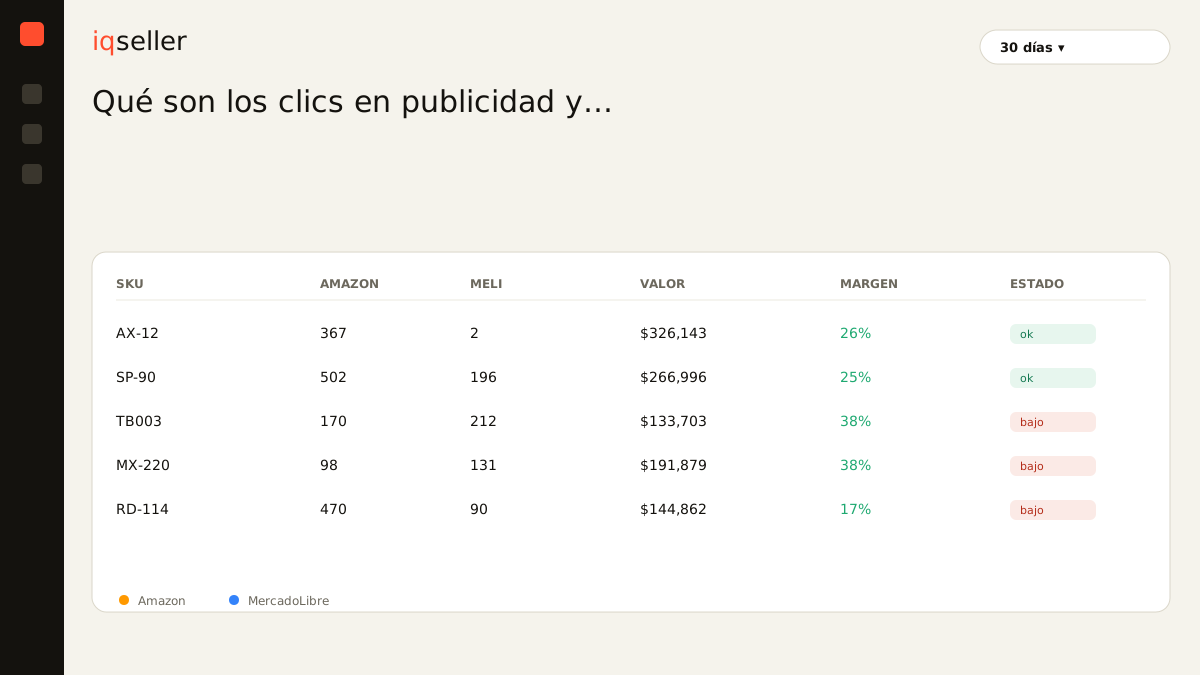
And when you finally have the table, it’s already aged. The campaigns kept running, charging clicks with last week’s bids; the stock moved and maybe you’re already paying for clicks that land on sold-out listings. Deciding with yesterday’s data, in CPC advertising, means overpaying for days before you correct. A single real-time source of truth changes the question from “how many clicks did I get?” to “did these clicks leave me profit today?” — and lets you see at a glance, per SKU and per channel, clicks, conversion, ACoS, real availability and net margin on the same board, without rebuilding anything by hand.
what you should be able to see from a click
A useful panel doesn’t show you clicks as a lonely figure. It shows them in context: how many clicks the SKU got, at what CPC, with what CTR, how many converted, what ACoS they produced, and — most importantly — how much net profit was left after subtracting that spend. With that, the click stops being a number you cheer blindly and becomes a signal you know how to read.
That’s how you quickly tell apart the three cases that matter: the SKU with lots of clicks that leave no margin (lower bids or refine keywords), the SKU with few but very profitable clicks (there’s uncaptured volume — raise investment), and the SKU whose clicks are lost because the product is out of stock (fix the stock before touching the campaign). The click, read well, stops being blind spend and becomes one of the most honest signals in your multichannel operation.