
Net Margin Formula Explained Step by Step With Examples
July 7, 2026
The net margin formula is simple to write: net margin = (net profit ÷ revenue) × 100. Net profit is what’s left of a sale after you subtract absolutely everything (product cost, marketplace fees, shipping, advertising, returns, and taxes), and revenue is what the customer actually paid you. If you sell something for $1,000 and end up keeping $120 clean, your net margin is 12%. That’s it. The hard part isn’t the formula, it’s gathering every number that goes into the subtraction.
This is where most sellers stumble. Don’t confuse this with gross margin, which only subtracts product cost and hands you a nice, inflated number. Net margin is the figure that actually tells you whether the business makes money, because it includes every deduction the marketplace and your operation apply afterward. A product can show 45% gross margin and 4% net margin: same product, two completely different stories.
In this guide we take the formula apart step by step, with numeric examples from Amazon and MercadoLibre, so you can calculate it yourself without guessing and without depending on a spreadsheet that’s always a week behind.
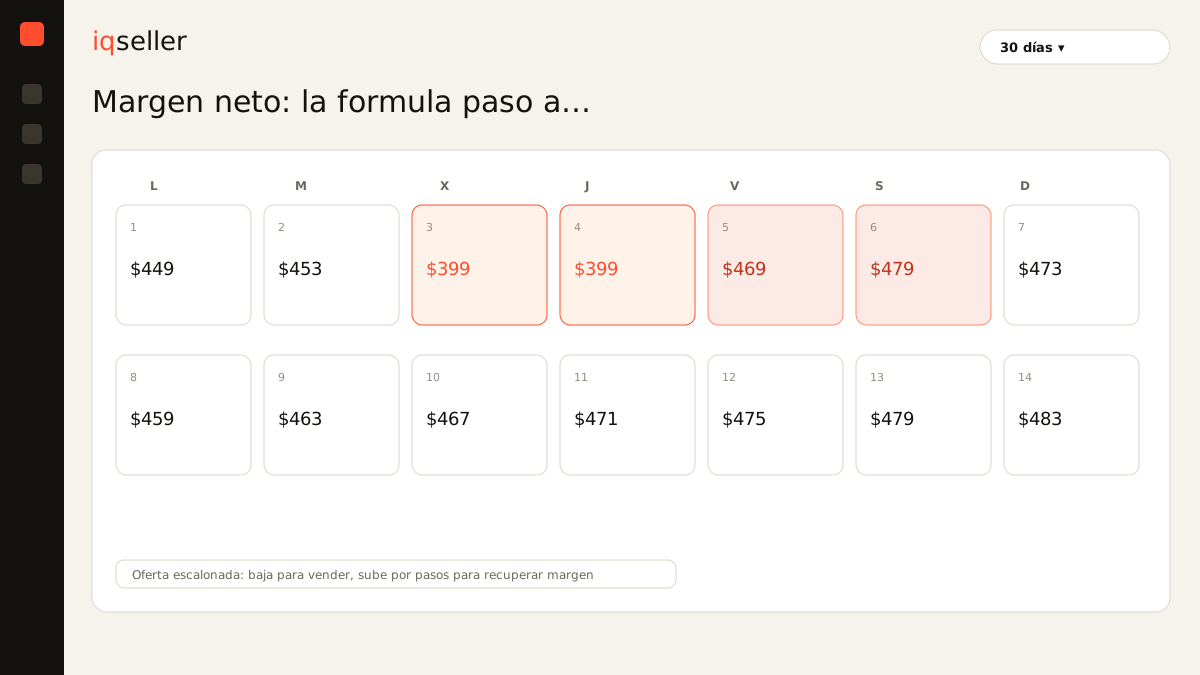
the formula, written without decoration
Net margin is always expressed as a percentage of revenue, never of cost. That’s the first trap: many people divide profit by product cost and get a bigger number that isn’t margin at all, it’s markup. They are different things.
Net margin (%) = (Net profit ÷ Revenue) × 100
Where:
- Revenue = the price the customer paid for the unit (or the total for all units in the period).
- Net profit = Revenue − Product cost − Fees − Shipping − Advertising − Returns − Taxes − Other operating costs.
The formula doesn’t change between Amazon and MercadoLibre. What changes are the line items inside net profit: each channel has its own fees, its own shipping rates, and its own way of charging you. That’s why the same SKU can have a different real net margin depending on where you sell it, even when the list price is identical.
step 1: start from real revenue
The first number is the sale price, but be careful: use what the customer actually paid, not your list price. If you ran a tiered offer or a coupon, real revenue is lower. If you sold 40 units at different prices during a promotion, your period revenue is the actual sum, not “40 × list price.”
This detail seems obvious, but it’s the first source of phantom margins. A seller who calculates on list price instead of the discounted price believes they’re more profitable than they are, month after month.
step 2: subtract the product cost
Product cost (COGS) is what it took to get that unit ready to sell: the merchandise itself, plus prorated inbound freight, plus packaging if it applies. If you import, include duties and the cost of getting the box to your warehouse. Don’t leave it at “what I paid the supplier,” because international freight can add 10-15% that nobody sees until it’s summed up.
After this step you have gross margin. It’s useful, but it’s only the beginning. If you stop here, you’re looking at the inflated number. To understand why gross and net diverge so much, read gross margin vs net margin.
step 3: subtract what the marketplace takes
This is where margin starts to hurt. Each channel takes its cut:
- Referral fee (Amazon) or category commission (MercadoLibre): a percentage of the price, varying by category.
- Fulfillment fee: FBA on Amazon, Full on MercadoLibre. Charged per unit by weight and dimensions.
- Storage: monthly, and more expensive if the product sits idle.
- Fixed selling fee on MercadoLibre for low-priced items.
These line items change from one marketplace to another for the same product. That’s why you can’t calculate “a margin” in the abstract: you calculate a margin per channel. And since the stock backing those sales moves all day, having real-time inventory is what keeps you from deducting fees on units you no longer have.
step 4: subtract advertising, returns, and taxes
The three line items people forget, and the ones that sink net margin:
- Advertising: if you run Amazon Ads or Product Ads on MercadoLibre, ACoS comes straight out of your profit. A 15% ACoS on a product with 20% gross margin nearly erases it.
- Returns and refunds: not an exception, a recurring cost. Provision a realistic percentage based on your category.
- Taxes: VAT (16% in Mexico) plus income tax on profit. Handle it properly or your “margin” is fiction.
When you subtract these three, you finally reach real net profit. Divide it by revenue, multiply by 100, and that’s your net margin.
real example: one SKU on Amazon FBA Mexico
Take a product sold at $999 on Amazon Mexico:
| Item | Amount |
|---|---|
| Revenue (price paid) | $999 |
| Product cost + freight | −$360 |
| Referral fee (~15%) | −$150 |
| FBA fee | −$95 |
| Storage + inbound prorated | −$30 |
| Returns provision (4%) | −$40 |
| Advertising (ACoS 12%) | −$120 |
| Net profit before VAT | $204 |
Net margin before tax: $204 ÷ $999 = 20.4%. Not bad. But notice that the gross margin on this same product (just price minus cost) was $639, or 64%. The gap between 64% and 20% is exactly what the Amazon dashboard never shows you side by side. And if that product had a 20% ACoS instead of 12%, net profit would drop to $124 and margin to 12.4%. Advertising alone moves the number eight points.
comparative example: the same product on MercadoLibre
The same SKU, same $999 price, but on MercadoLibre with Full:
| Item | Amount |
|---|---|
| Revenue | $999 |
| Product cost + freight | −$360 |
| Commission (~14% + fixed fee) | −$165 |
| Full shipping (seller-paid) | −$110 |
| Returns provision (3%) | −$30 |
| Advertising (Product Ads 8%) | −$80 |
| Net profit before VAT | $254 |
Net margin: 25.4%. The same product, at the same price, leaves five points more margin on MercadoLibre than on Amazon in this example, because the shipping and advertising structure is different. This is why a multichannel seller can’t reason with “my margin”: they have to see it per channel, side by side, to decide where to push price and where to push inventory.
why the spreadsheet is always behind
The formula is fixed, but its inputs are not. Fees change, FBA rates rise, ACoS shifts every day with the auction, and returns land weeks after the sale. Calculating this by hand for hundreds of SKUs across two or three marketplaces means opening several dashboards, exporting reports, pasting everything into one sheet, and hoping you didn’t fumble a column. By the time you finish, the numbers have already moved.
That’s the real pain of the multichannel seller: it’s not that they don’t know the formula, it’s that rebuilding it by hand, channel by channel, every day, is unworkable. That’s why it helps to lean on a price calendar that respects your target margin and on a calculation that already brings every deduction applied. If you want the breakdown per individual product, read what is net margin on Amazon and how to calculate it per product.
in short
Net margin is net profit over revenue, times one hundred, and its value depends on how honest you are subtracting everything: cost, fees, logistics, advertising, returns, and taxes. Don’t confuse it with gross margin or markup. Calculate it on the price actually paid, do it per channel, and refresh it with fresh data. That number (today, per product, already net of everything) is the difference between growing profitably and growing at a loss without noticing. iqseller builds this calculation in real time, per SKU and per marketplace, so you stop rebuilding it by hand.