
How to Calculate Your Real Profit Selling on Amazon
August 14, 2026
To calculate your real profit selling on Amazon, start from the sale price and subtract, in this order, four things: the cost of the product, Amazon’s referral fee, the cost of fulfillment (FBA or the shipping you pay yourself), and the taxes that apply in your market (in Mexico, VAT and, for individuals, withholding). What is left after those subtractions is your net profit per unit. The base formula is: sale price − product cost − Amazon fees − fulfillment − taxes = real profit. Everything else is detail about those four subtractions.
The problem is not the formula, which fits on one line. The problem is that each number lives in a different place. The referral fee is reported in Seller Central, the FBA rate sits in another table, the product cost is in a file of your own, VAT depends on your tax regime, and returns and storage fees show up weeks later in the payments report. So you end up, again, copying figures into a spreadsheet at midnight to build the picture of a single SKU. And by the time it is ready, it has already changed: a rate went up, a return came in, pricing moved.
This article shows you how to bring that formula down to real numbers, marketplace by marketplace, without fooling yourself with the “price minus cost” math that almost everyone uses and that almost always lies. Because selling on Amazon and selling profitably on Amazon are not the same thing, and the gap between them is usually hidden in three or four fees nobody adds up in full.
why “price minus cost” lies to you
The most common calculation among new sellers is also the most dangerous: I buy at $180, sell at $400, so I “make” $220. That number is not profit, it is apparent gross margin, and it does not survive the first Amazon statement. Of that supposed $220, the referral fee takes a percentage of the total price (typically between 8% and 15% depending on the category), the FBA rate charges by weight and dimensions, and on top of that you still have to account for the VAT you collected and the period’s returns.
When you bring all of that down to paper, the product that “left $220” often leaves $70, $40, or loses money. And you do not find out until you close the month and Amazon’s deposit is smaller than you expected. Real costing is not pessimism: it is the only way to decide which product to scale, which one to raise in price, and which one to pull from the catalog before it keeps quietly bleeding you.
Glossary: real net margin is what is left after ALL costs —product, fees, fulfillment, storage, VAT and advertising—, not just price minus cost.the referral fee: the first bite
Amazon charges a referral fee on every sale, calculated as a percentage of the total price paid by the buyer (product plus shipping, where it applies). The percentage depends on the category: electronics, home, beauty, and apparel carry different rates. This is the fee most people underestimate because it applies to the full sale price, not to your margin.
A frequent mistake is using one generic percentage “from memory” across the whole catalog. If you have SKUs in three categories, you have three different rates, and applying the wrong one gives you a false costing. To calculate your real profit you need the exact referral fee for each product’s category, not an average. Across a catalog of dozens of SKUs, keeping that by hand in a spreadsheet is exactly the kind of repetitive work that gets done wrong when you do it tired.
FBA or FBM: fulfillment changes the whole math
If you use FBA (Fulfillment by Amazon), Amazon charges a per-unit fulfillment fee that depends on weight and dimensions, plus monthly storage fees that spike if your inventory turns slowly or falls into long-term storage. If you use FBM (Fulfillment by Merchant), you pay for shipping, packaging, and your team’s time, real costs that almost never make it into the product’s costing.
Fulfillment is where most people “save” on subtractions out of laziness. And it is an expensive mistake, because on low-price products the FBA fee can be 30% or 40% of the sale price. To know how much you truly earn you have to include the full per-unit fulfillment cost, including the prorated storage share. The same item can be profitable via FBM and lose via FBA, or the other way around, depending on its weight and turnover.
the taxes that do belong in your costing
In Mexico, whether you sell on Amazon as an individual or a company, there are two tax pieces that affect your calculation. VAT (16%) is passed on to the buyer inside the price, but it is money that is not yours: it comes in and goes out to the tax authority. If you cost on the VAT-inclusive price without separating it, you inflate your apparent profit. And if you are an individual without a properly registered tax ID, Amazon applies income-tax and VAT withholding on your sales, which directly reduces your deposit.
This is not tax advice —that is your accountant’s job— but a reminder that tax is a real subtraction that comes before you can call anything profit. Many sellers find out late that their “profit” was largely VAT they later had to remit. For honest costing, always work with the price excluding VAT and account for withholding based on your regime.
advertising: the subtraction almost nobody puts in the product’s costing
If you run Sponsored Products, that spend also comes out of your margin. An ACoS that “looks fine” in Seller Central does not tell you whether anything is left after the referral fee, FBA, and VAT. Advertising is one more subtraction in the real-profit formula, and leaving it out is one of the common mistakes when starting to sell on Amazon that empties the account fastest.
The right way is to prorate the ad spend per unit sold of the SKU and subtract it from the margin you already calculated. That is where many products that looked profitable fall apart: the ad did bring sales, yes, but each one left less than the click cost. Seeing ad spend and real margin in the same view, and not in two separate tabs, is what keeps you from subsidizing Amazon Ads without noticing.
the same product, two different profits per channel
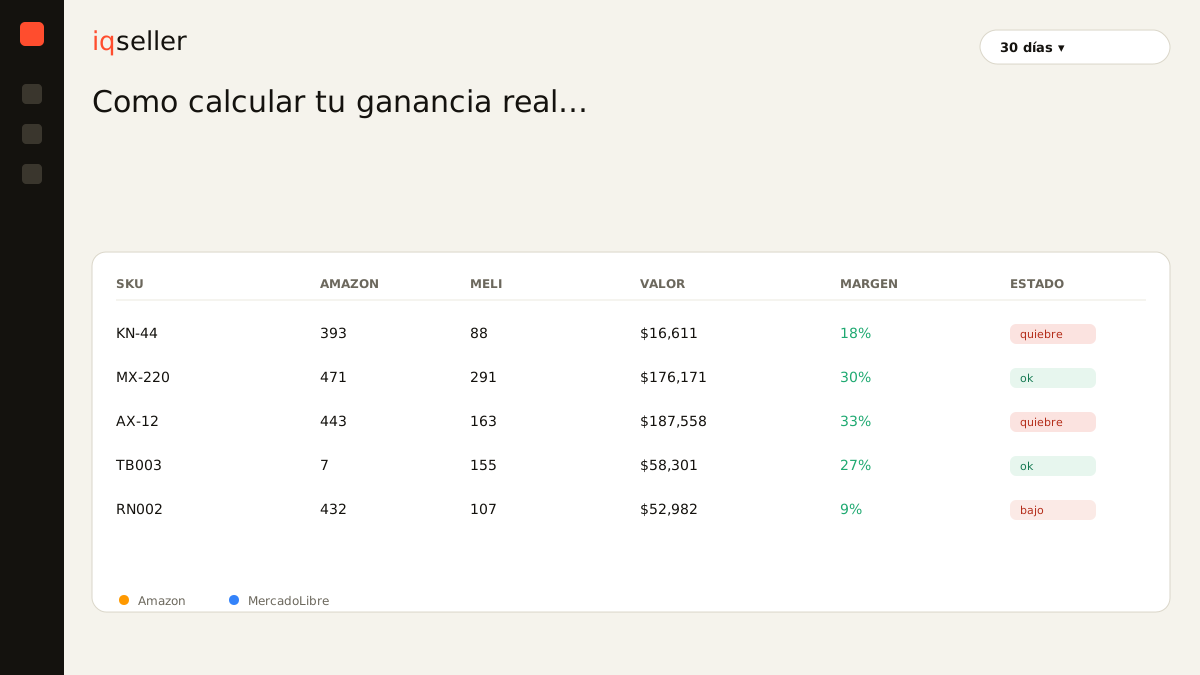
Here is the specific pain of the multichannel seller: the same SKU does not leave the same profit on Amazon as on MercadoLibre. Fees differ, MELI charges its own Envíos Full logic versus FBA, and sometimes pricing changes too because you compete against a different seller on each marketplace. A product can leave you 22% on MELI and 9% on Amazon, and if you look at a single dashboard you never see that asymmetry.
When you add Shopify and a 3PL on top, each channel reports in its own format and on its own schedule. Pulling it all together by hand to answer something as basic as “which is my most profitable product this week?” costs you hours, and the answer is already a day old by the time you finish. The unified catalog exists precisely for that: a single master SKU with its cost, its per-channel fees, and its real margin calculated in real time, without you cross-referencing anything.
Glossary: the unified catalog connects the same product across Amazon, MercadoLibre, Shopify and 3PL under one master SKU, with its costing and per-channel margins in a single place.from formula to deciding in real time
Calculating a product’s real profit once, in a spreadsheet, is a useful exercise. Calculating it for your whole catalog, across every channel, and keeping it current while rates change and returns come in is another thing entirely: it is daily operation, and by hand it does not scale. The point is not that the formula is hard, it is that the data moves faster than you can copy it.
When costing lives in real time, you stop discovering three months late that your star product was losing money. You see the net margin per unit for each SKU, on each channel, updated with the real fees and fulfillment, and you can decide today: raise the price on this one, pull that one from the ad, move stock to the channel where it leaves more. That, and not the calculator, is what turns “I sell on Amazon” into “I profit on Amazon.” And who wins the Buy Box at any given moment directly influences how much you sell at that margin, not just whether you sell.
Glossary: the Buy Box is the featured purchase box; winning it concentrates most of a listing’s sales and depends on price, shipping and reputation.