
Multi-Warehouse Inventory: How to Consolidate Your Stock in One View
August 8, 2026
Consolidating your multi-warehouse inventory into a single view means gathering, in one dashboard and under the same SKU, the units you have spread across every physical and logistical location: your own warehouse, Amazon FBA, MercadoLibre Full, and the 3PL that ships your orders. The point isn’t to collapse everything into one grand total. It’s to see each compartment separately and, at the same time, understand how they relate, because units in one warehouse almost never cover demand in another without a transfer that takes days.
If you sell across several channels, you already know the pain this solves. Your stock doesn’t live in one place: some sits in FBA serving Amazon orders, some in Full serving MercadoLibre, some in your warehouse for self-fulfilled or Flex shipments, and sometimes more in transit toward any of them. To know how much you actually have of one product, you open three or four separate panels, export reports, paste them into a spreadsheet, and add it up by hand. By the time you finish, the number is already stale and you decide under uncertainty.
A consolidated view flips that work around. Instead of you gathering the information channel by channel, the system reads each location, tags it by warehouse, and shows it together under the same product, with the true available stock for each one and the honest total those numbers add up to. You stop asking “how much do I have?” and start seeing the complete answer at a glance, with every unit placed in its correct compartment.
why your inventory is split across warehouses that don’t talk to each other
When you sell on a single channel, “inventory” is one number: what’s in your warehouse. The moment you open a second and a third channel, that number fragments into compartments that operate separately and don’t share units instantly. FBA only serves Amazon demand; Full only covers MercadoLibre; your own warehouse feeds self-fulfilled and Flex shipments; the 3PL ships what you sent it. Each has its own sales velocity, its own restock lead time, and its own system where you check it.
The result is that a single product exists in four realities at once. You can hold 300 units total and still run out on Amazon come Thursday, because the 200 you have to spare are in Full and won’t reach FBA without an internal restock that takes days. The total reassures you and lies to you at the same time. That’s why consolidating can’t just mean adding: it has to preserve where each unit comes from, or the “unified” view hides exactly the problem you needed to see.
This fragmentation is the root of nearly every multichannel inventory error: you oversell on one channel because you thought the total had you covered, or you overbuy because you didn’t see the stock already sitting idle in another warehouse. A consolidated view doesn’t eliminate the compartments —logistics defines those, not software— but it does show them all together so you decide with the full map in front of you.
what “one view” really means
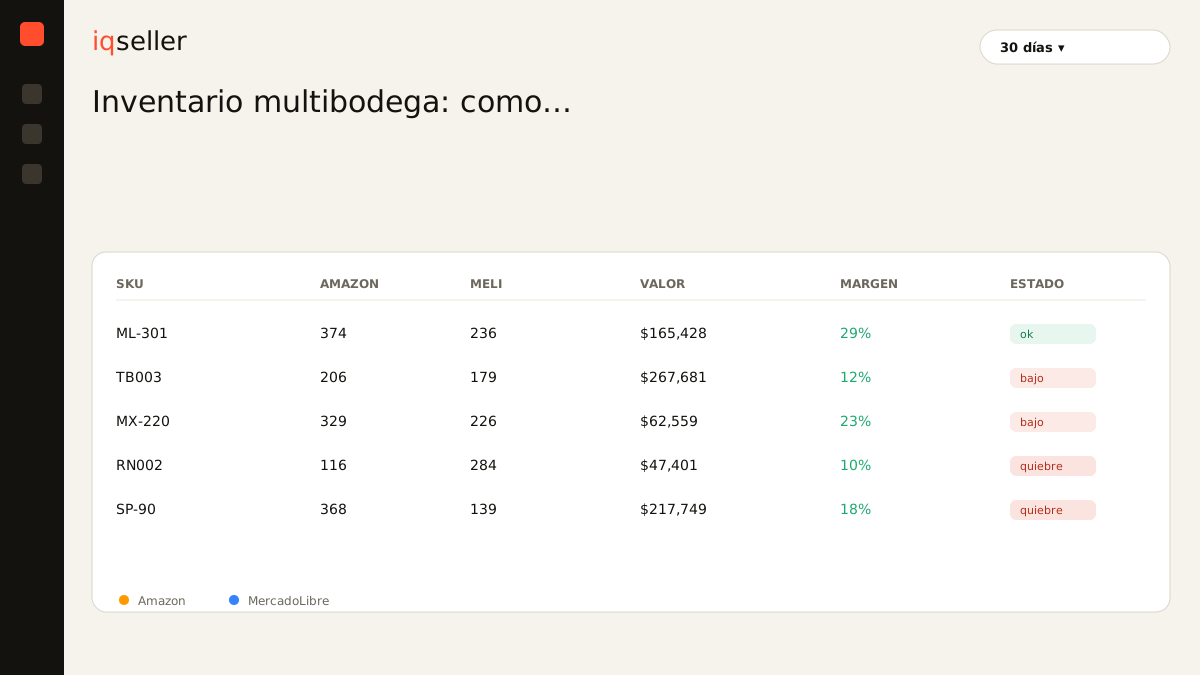
One view is not a giant total. It’s a table where each row is a SKU and each column is a warehouse, with the available stock per location and the sum at the end. On the same row you see that your knee brace has 100 in FBA, 200 in Full, 40 in your warehouse, and 60 in transit, and you see the total of 400 without losing sight of the fact that those four numbers are not interchangeable. That’s the difference between a view that helps you and an average that misleads you.
A useful consolidated view also translates each number into days of coverage, not just loose units. A hundred units in FBA are four days if you sell 25 a day, and a hundred days if you sell one. Without that translation, looking at the units table tells you how much you have but not how long it lasts, which is the question that actually matters when you decide where to restock first.
Glossary: days of inventory measure how long your stock will last at the current sales pace; in a multi-warehouse view they’re the right unit for comparing warehouses, because they translate “units per location” into “time left in each channel”.true available stock per warehouse, not the report number
The most common silent error when consolidating is adding up the physical stock of each warehouse instead of the true available stock of each one. The big report number includes units you can’t sell today: reservations for in-progress orders, inventory in inspection or receiving, returns waiting to be restocked, and stock blocked by a listing problem. If you consolidate on top of those inflated numbers, your “unified” view tells you that you have more than you can actually sell, and the error multiplies by the number of warehouses.
Consolidating well starts by subtracting all of that in each location before summing. FBA’s true available stock is not what shows up in the warehouse report, but what can actually go out to fill an order right now; the same goes for Full, for your warehouse, and for the 3PL. Only when each compartment shows its honest number does the consolidated total mean something. A product can look flush in the physical report and sit in the critical zone in true available stock, and that’s precisely the gap a good multi-warehouse view has to reveal to you.
Glossary: true available stock is what you can sell right now in a warehouse, once you subtract reservations, returns in process, and blocked inventory; it’s the only honest basis for consolidating several locations without inflating the total.consolidating under the same SKU: the work you do once
For all four warehouses to appear on the same row, the system has to know that the Amazon ASIN, the MercadoLibre listing, and your 3PL code are the same product. That mapping —your master SKU pointing to each channel identifier— is what lets a unit in FBA and a unit in Full be counted under the same row instead of showing up as two separate products nobody connects.
It’s work you do once and maintain, and it’s the foundation of everything else. Without that link, any “consolidation” is a list of loose products that happen to look alike; with it, every sale, every restock, and every transfer between warehouses reflects into the same view without you cross-referencing anything by hand again. It’s the same principle that governs the rest of your operation: a clean, well-mapped SKU is what turns four panels into a single screen.
With the SKU consolidated, the view also lets you see something no individual panel shows: how a single product is distributed across channels. Sometimes the problem isn’t that you’re short on inventory, but that you have it badly distributed —flush where it sells little, scarce where it sells a lot— and that only becomes visible when the four warehouses sit side by side. How to move that stock when demand shifts is a topic of its own in how to allocate stock across warehouses when demand shifts.
why real time is what makes consolidation possible
A consolidated view built by hand lasts a day. With dozens or hundreds of SKUs across four locations, the snapshot ages at the pace of your sales: every order that lands on Amazon, every sale on MercadoLibre, and every shipment out of your warehouse changes the numbers, and a spreadsheet you updated in the morning is already out of sync by noon. You know the pattern: you export FBA from Seller Central, Full from MercadoLibre, the 3PL sheet that arrived by email on Monday, paste it all together, add it up, and by the time you finish you’ve sold thirty more units that aren’t in your count.
Real time is what breaks that cycle. Instead of a snapshot you take now and then, the view reads each warehouse’s true available stock continuously and recalculates the total and coverage as sales come in. When a channel approaches a stockout, you see it on the same screen where you see everything else, not in a sheet you were going to update “later”. That jump —from gathering the information to the information gathering itself— is what separates a consolidation that holds up from a spreadsheet you abandoned by week three.
Glossary: a stockout is running out of sellable units in a channel; a real-time multi-warehouse view exists so you can see the stockout coming in the specific warehouse where it’s going to happen, not in a total that hides it.from a consolidated view to better decisions
Seeing everything together isn’t the end, it’s the starting point. With all four warehouses on a single screen and in days of coverage, the decisions you used to make blind become obvious. You see Amazon entering the critical zone while Full is flush and you decide to move stock instead of buying; you see a product that’s been sitting idle in a warehouse for weeks and spot stranded inventory you’ve been paying storage on without selling; you see which channel to restock first based on which one is running the clock faster.
Consolidation also connects to price. When you decide to rush a restock with express freight to avoid a stockout on one channel, that extra cost hits the margin, and it’s worth cross-checking against your price calendar so an urgent restock doesn’t wreck the price you’d already planned. A view that only tells you “how much you have” is useful; one that lets you act on that number —move, buy, adjust price— without switching screens is the one that truly saves you the manual work eating your nights today.
In the end, consolidating your multi-warehouse inventory isn’t a nice-report luxury: it’s about no longer discovering your stockouts and your overstock after they’ve already cost you money, and starting to see them coming with the full map in front of you. Each warehouse in its column, each number honest, everything in real time and under the same SKU. That’s the standard that separates operating under uncertainty from operating with the real picture of what you have, where you have it, and how long it lasts.